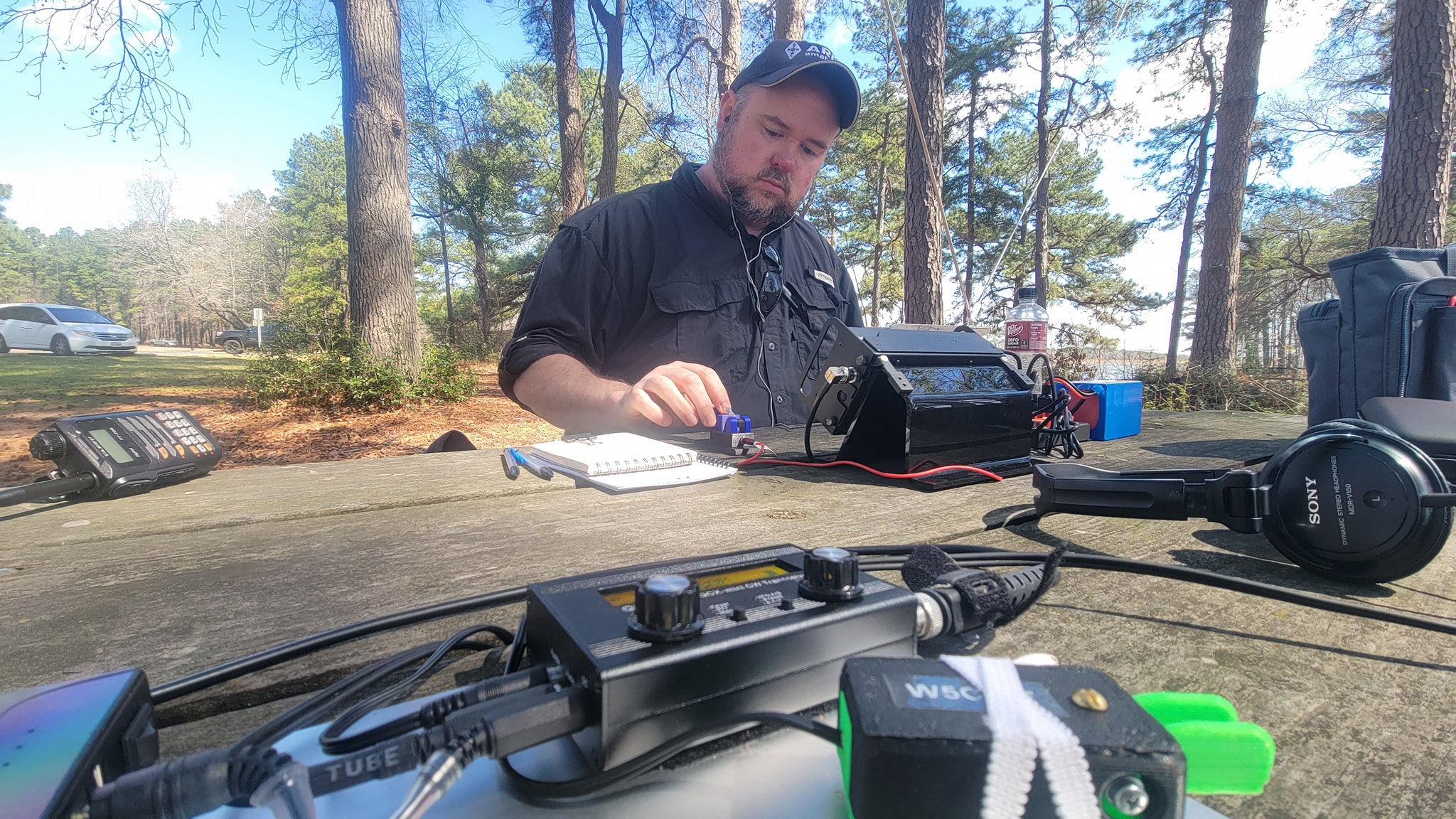
"Really enjoyed working a little POTA from Martin Creek this morning with Straight-Key Don," said David. "He got around 50 QSOs, I finished with 21."
The weather was nearly perfect for the activation.

"Really enjoyed working a little POTA from Martin Creek this morning with Straight-Key Don," said David. "He got around 50 QSOs, I finished with 21."
The weather was nearly perfect for the activation.

Ultimately, the fox was hiding in the woods behind the HISD Admin building on Crosby Street, on the north side of Henderson. It took about two hours for most of the members to track now the VHF signal.


The Solution: I bought a tiny portable thermal receipt printer on Amazon for around $40. It operated on 9 volts and includes a 1.5Ah Li-ion battery. It's supports Bluetooth, but so far I've only gotten it to work via the USB cable on Windows. It uses thermal printer rolls which are 58mm wide. It's certainly not large, but very readable. Best of all...no ink or ribbon. The only consumable is the paper and it has a long shelf-life as long as you keep it away from high heat or direct sunshine.
I charged the batter by connecting the power cable and installed the printer driver (POS 58) which came with the printer. I connected the USB and it found the printer. One issue was finding a paper definition in the printer setting that worked. I finally found "ZPrinter Paper (58mmx3276mm)" which worked well. I believe I had to install the printer driver for the ZPrinter to get this option.
I then exported my Winlink message to a text file and opened it in Notepad. I set the left and right margins to the minimum, the top to 1.0 and the bottom 0.0. Then I set the font to 9pt. Arial which seemed to be a good compromise between readability and size. The best thing is these settings carry over even after closing notepad. Then I simply printed the message and tore off the receipt. See the video for a look at the process.

As we all remember, the FCC originally proposed to burden Amateur Radio with a licensing fee of $50.00. This was vigorously opposed both by the ARRL and Amateur Radio licensees across the nation. Although we were not successful in persuading the FCC to exempt Amateur Radio completely, the combined efforts of the ARRL and many individual Hams did result in the FCC’s agreement to reduce the $50 fee to $35.00.
Although the majority of the new rules and fees become effective 30 days after the publication of the FCC’s Report & Order — April 19, 2021 — the new fees for Amateur Radio license fees will NOT become effective on April 19, 2021.
The FCC explicitly stated on Page 15061, Paragraph 44 of the Report & Order (https://tinyurl.com/y52ff2zy):
It is further ordered that Commission’s rules are amended as set forth in in the back of this summary, and such rule amendments shall be effective 30 days after the date of publication in the Federal Register — except for §§ 1.1102, …., — which require notice to Congress and also require certain updates to the FCC’s information technology systems and internal procedures to ensure efficient and effective implementation. Sections 1.1102, …. will not take effect until
(1) the requisite notice has been provided to Congress;
(2) the FCC’s information technology systems and internal procedures have been updated; and
(3) the Commission publishes notice(s) in the Federal Register announcing the effective date of such rules.
Section 1.1102 is the section of the Report that applies to Amateur Radio.
It is the opinion of the ARRL’s FCC counsel that the three prerequisites will NOT be completed before this summer. But, whenever those conditions have been met, the Report is clear that the FCC will provide advance notice of the actual date the new licensing fees will become effective.
Thus it is not necessary for VECs to collect, or for any new licenses to pay, any license fees until the FCC publicly publishes in the Federal Register the date on which such fees must be collected/paid.


Software TNCs use a computer's sound card to listen for and play tones to and from the radio. Many modern desktop radios come with USB soundcard built in, which means all you need to use them is a USB cable connected to your computer and some software.
One of the software packages currently available is written by UZ7HO and is simply called, "Soundmodem". (On the website, the file is called soundmodem105.zip. The hs-soundmodem26.zip is a different program and not what you are looking for.) It has been around for many years but the programmer recently released an updated version which make it even better. Previously, you had to use VOX (voice activated control, or in this case tone activated control) so your radio would automatically switch back and forth between receiving and transmitting. Switching back and forth is called the PTT (or push-to-talk) function. (Another option was to use a Signalink which provides a soundcard and PTT functions.
However, the newest version of Soundmodem includes a new feature that allows you to automatically control most popular desktop radios. Simply download the file ptt-dll.zip from the UZ7HO's website, unzip it and place the files in the same folder as Soundmodem. Then, in the Settings menu, under Devices, you'll see a section called "PTT Port". Choose "CAT" for computer automated and hit Apply. You'll get an error which will be followed by a "Advanced Settings" where you can choose your radio, port, speed and other options. It worked very well with my IC-7100 and really make Soundmodem even more useful!
It's really a longer story, but to use UZ7HO, you simply install the Winlink software and then configure it to use the KISS port on UZ7HO. Then in Soundmodem, make sure to enable the KISS Interface so the two programs can talk to each other.


